 Alertviz
Tool guides
Choose a task. Each guide has an illustration, steps to follow and an example you can try.
All guides in one PDF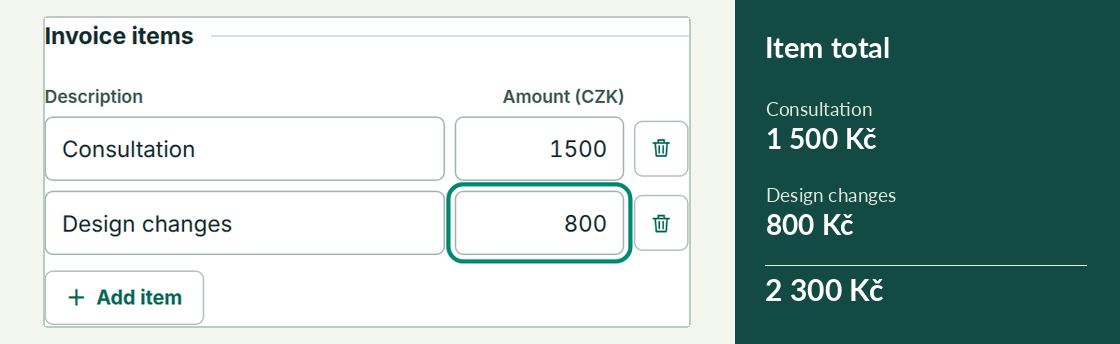 Faktura QR
Browser tools
Suite Hub
Start with the job in front of you. The hub has four browser tools for issuing an invoice, reading one you received, extracting its figures or checking the supplier.
Faktura QR
Create an invoice for a Czech business that does not charge VAT. The customer receives a PDF and can scan its QR code to fill in a bank transfer.
ISDOC Viewer
Read a Czech electronic invoice in ISDOC format. Preview one document, print it or turn a group of invoices into a CSV you can open in a spreadsheet.
VaultLens AI
Turn a text invoice into a spreadsheet row with its supplier, total and due date. For a contract, the same reader can flag clauses worth a closer look.
EuroKYB
Before paying an invoice, check that its Czech company ID belongs to the supplier and compare its bank account with the published accounts. EuroKYB brings the ARES register and ADIS tax records into one report.
IČO Shield
Check a supplier while reading a quote or invoice on a web page. The Chrome extension opens a compact report with the company name, VAT status and published accounts. Its controls are in Czech.
Payment QR and IBAN check
Create a payment QR without issuing an invoice. Choose a Czech or euro transfer and inspect the payment text that will be encoded.
Connect to EuroKYB
Using Pro and Business
Choose a direct subscription when you need more supplier checks in the tools you already use. Pro and Business use the same API and tools. The difference is how many checks you can complete each month.
EuroKYB REST API
Read supplier checks from an accounting system or script. The API returns JSON. Its OpenAPI file lists the routes for Czech companies, EU VAT, IBAN, exchange rates, payment QR data and public web pages.
EuroKYB on RapidAPI
Use your existing RapidAPI account to call EuroKYB and track usage alongside your other APIs. RapidAPI manages the application key and billing for this route.
EuroKYB for AI assistants
Connect an assistant to EuroKYB through MCP. Ask about a Czech company, EU VAT number, IBAN, Czech National Bank rate or public web page, then have the assistant show the underlying fields.
Invoice automation
Supplier check for n8n
Add a step that looks up a Czech supplier and tells your workflow whether a person should review the invoice. This free workflow accepts one company ID per request.
Invoice Verification Toolkit
Unzip the toolkit and choose a starting point based on how your invoices arrive. Python handles spreadsheets. n8n handles individual invoice events from an accounting system.
Invoice guard for n8n
Send one incoming invoice record to n8n. This workflow from the paid toolkit checks the supplier, compares the invoice account and calculates a CZK equivalent for a foreign amount.
Python CSV checker
Check a spreadsheet of suppliers in one command. The script from the Invoice Verification Toolkit runs on your computer and adds a result for each row alongside the original columns.
Batch tools on Apify
Apify · Companies and VAT IDs
Check a list of Czech companies or EU VAT numbers in one run. This Actor runs in your Apify account and writes its results to that run’s dataset.
Apify · ISDOC invoice audit
Extract invoice numbers, totals and payment details from a batch of ISDOC invoices. You can also compare supplier accounts with the register and convert foreign totals into CZK.
Apify · Website to Markdown
Save the text of selected public pages as Markdown for reading or further processing. The same Actor can also report on website headers, TLS and email-related DNS records.
Invoice checks in practice
A familiar supplier puts a new bank account on an invoice
Compare two invoices and confirm who requested the change.
What to record when checking a supplier’s bank account
Record a match, a missing account or an unavailable register.
A contractor gave you two accounts for a deposit. Which one do you use?
What to check by phone and what to look for in your banking app.